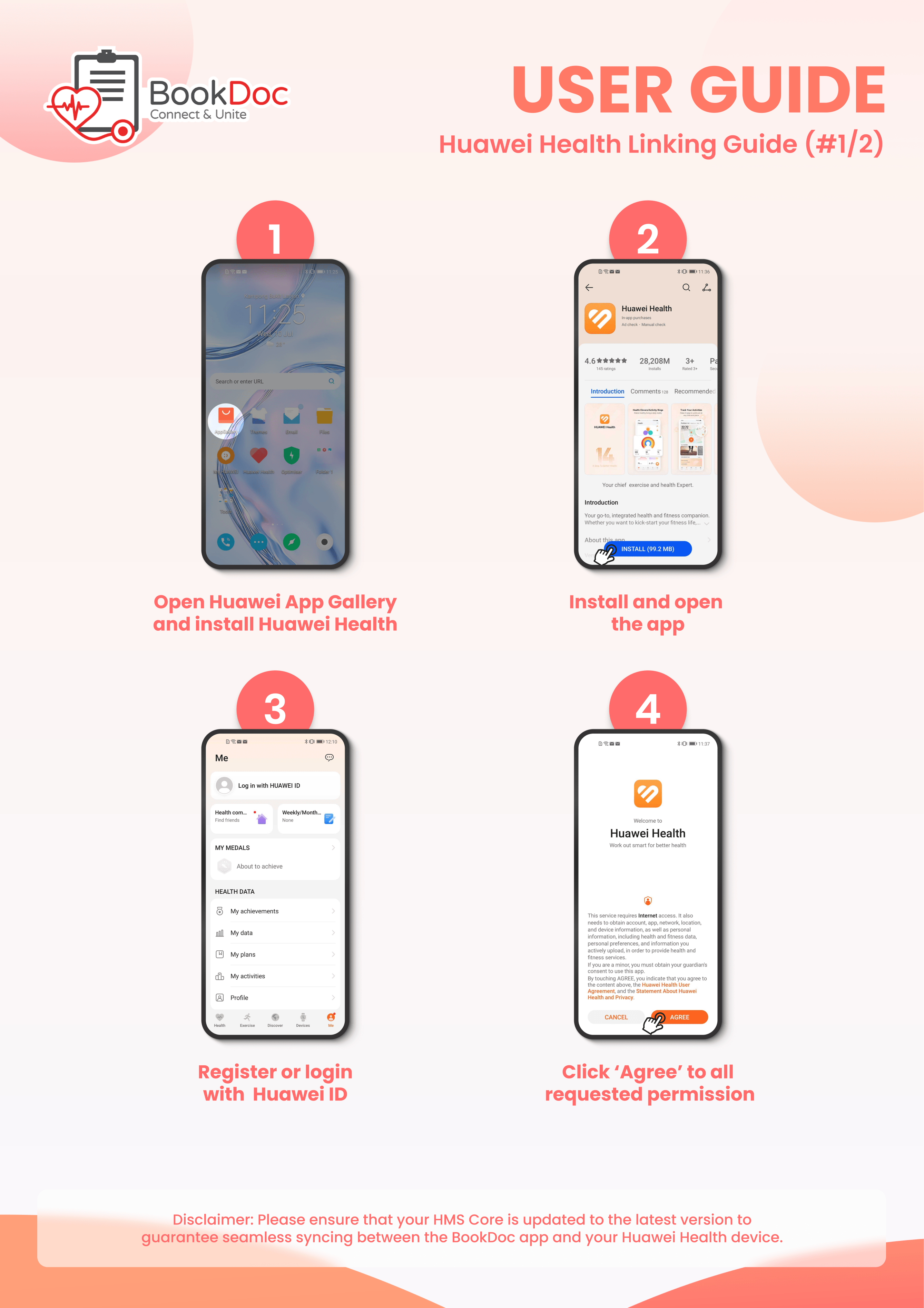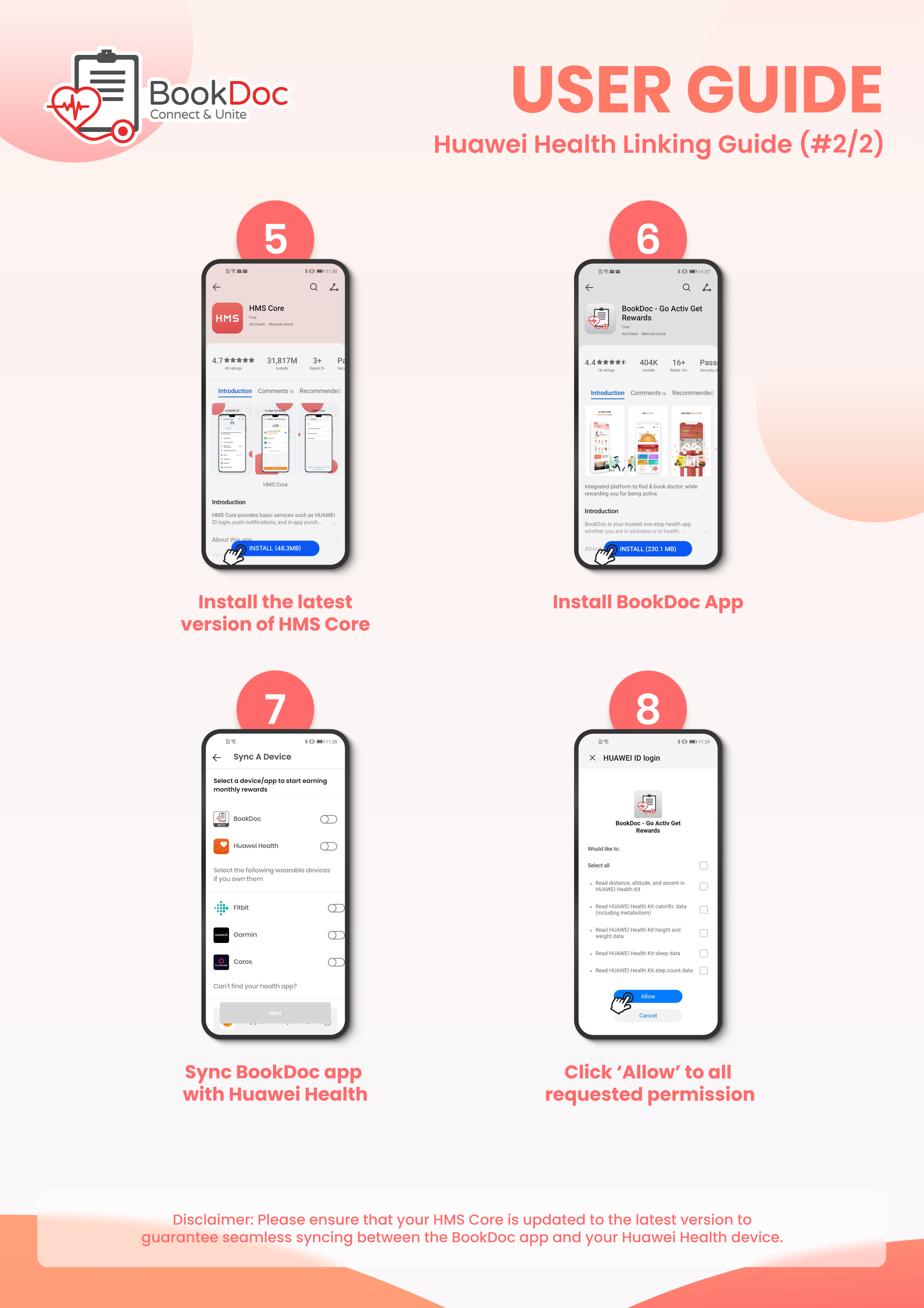







FAQs – Huawei Health
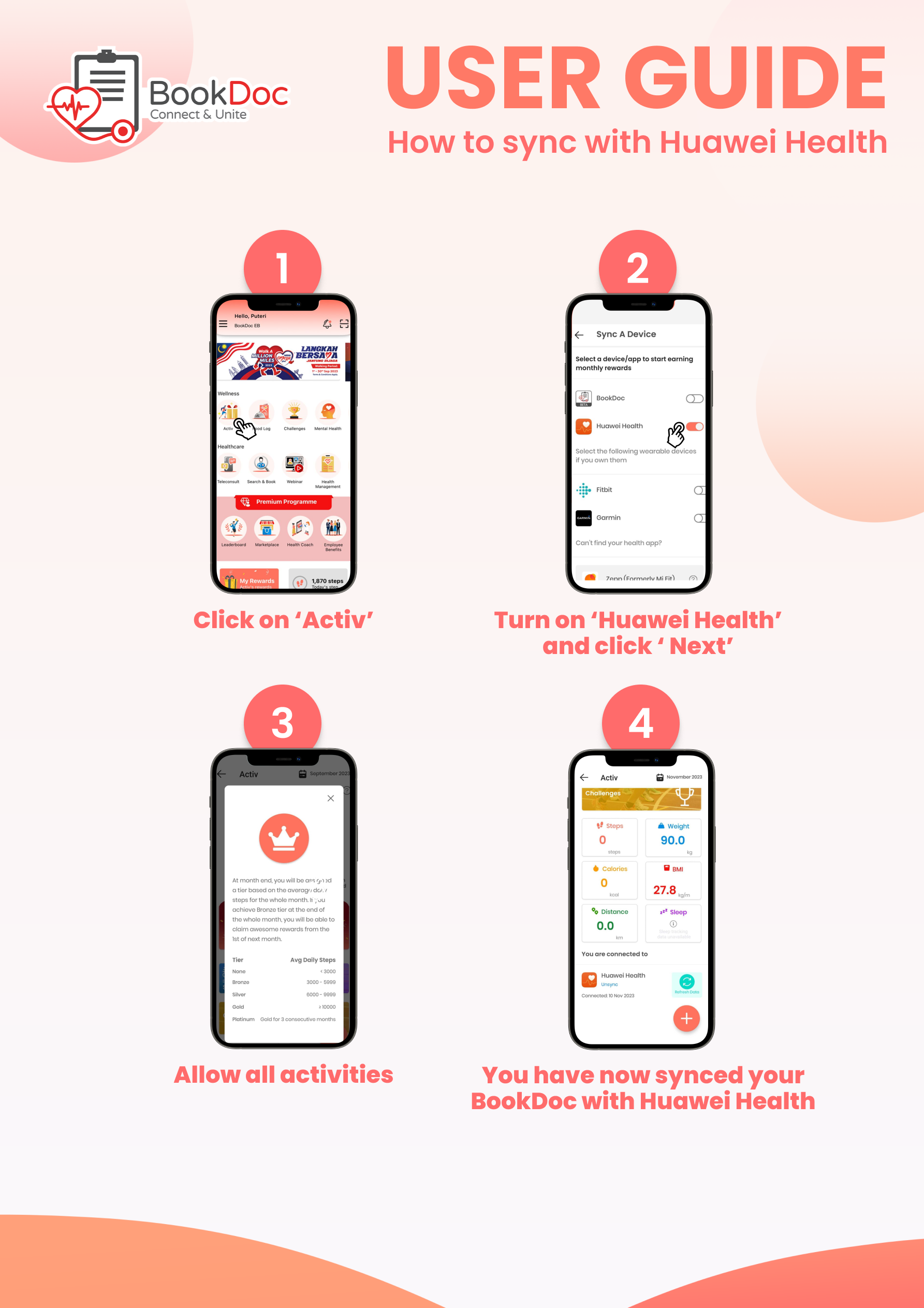
• How do I sync my Huawei Health with the BookDoc app?
Please refer to the step-by-step guide below. If you are still experiencing difficulties, please contact us at care@bookdoc.com or call 1300-88-2362 (Mon-Fri: 9AM-6PM).
• How do I sync my Huawei Health with Apple Health?
STEP 1
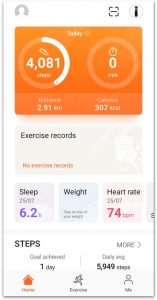
– Download ‘Huawei Health’ app and create an account.
– Pair your health tracker device to the ‘Huawei Health’ app.
STEP 2
– Open the ‘Apple Health’ app, tap on ‘Sources’ then on ‘Huawei Health’.
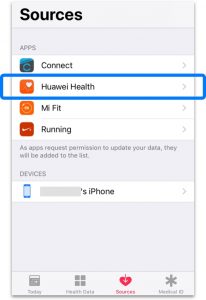
STEP 3
– Toggle ‘ON’ for all categories.
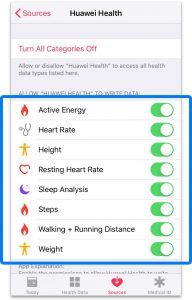
STEP 4
– Open the ‘BookDoc’ app and tap on ‘Activ’ either on the landing screen or from the side menu.
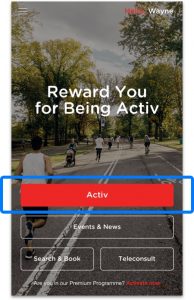
STEP 5
– Sync with ‘Apple Health’.
NOTE: Please open both ‘Huawei Health’ and ‘Apple Health’ apps once daily to allow data transmission.
Disclaimer: This workaround may NOT work well for some users and they may experience data discrepancies because the data is indirectly synced from Huawei Health to BookDoc via another third-party app Apple Health.
• How do I link Huawei Health & HMS Core to the BookDoc app?
Please refer to the step-by-step guide below. If you are still experiencing difficulties, please contact us at care@bookdoc.com or call 1300-88-2362 (Mon-Fri: 9AM-6PM).